
List view
New Releases
New Releases
Getting Started
Getting Started


Order Management
Order Management


Inspection Management
Inspection Management
Templates
Templates
User Management
For new users, Fingertip team will automatically add them to the app.
You can only change their role.
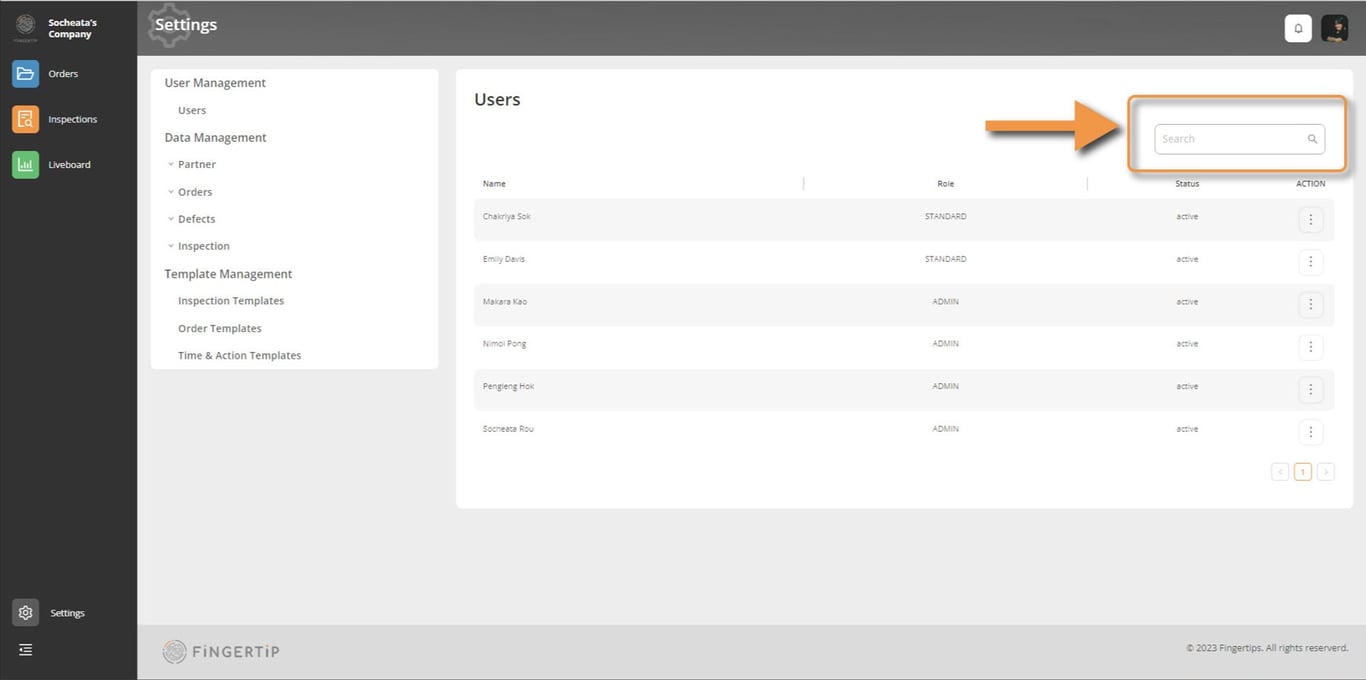
If your team is large, the fastest way to find them is by searching.
Edit User Role
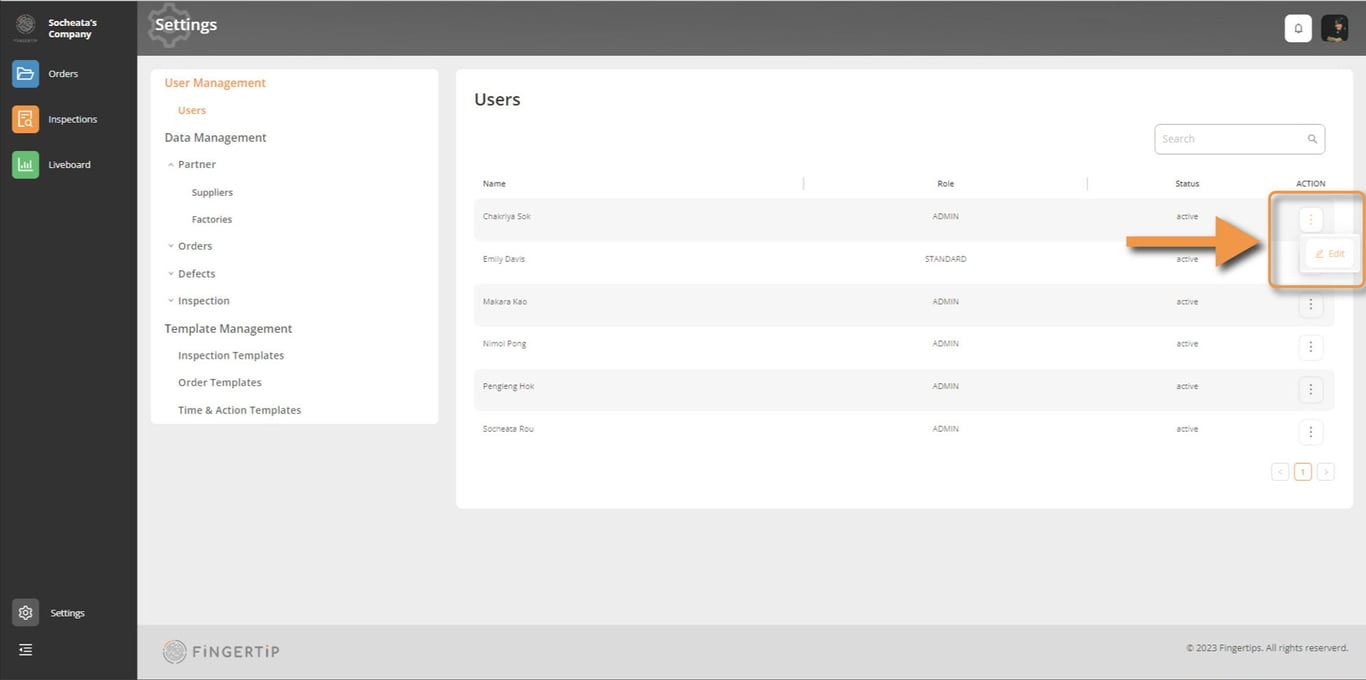
1) To edit their role, you need to go to the 3 dots on the right side and click on edit.
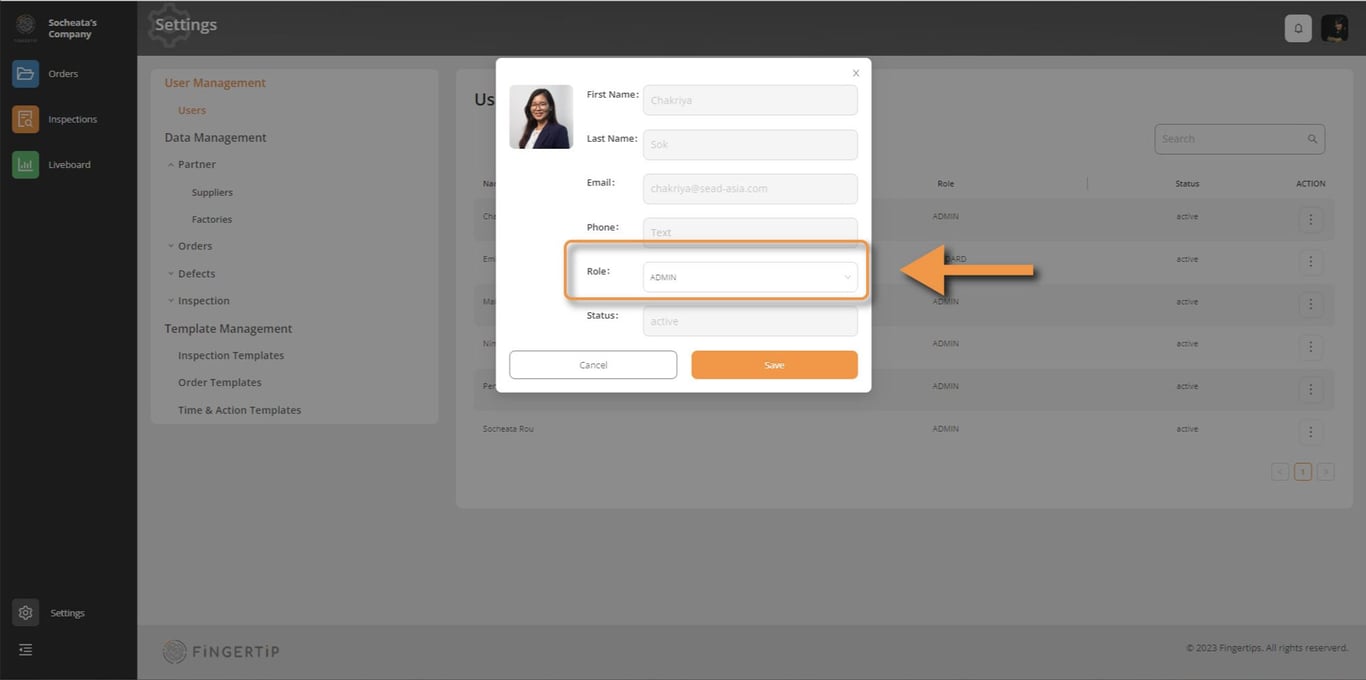
2) Go to role and select the Admin button
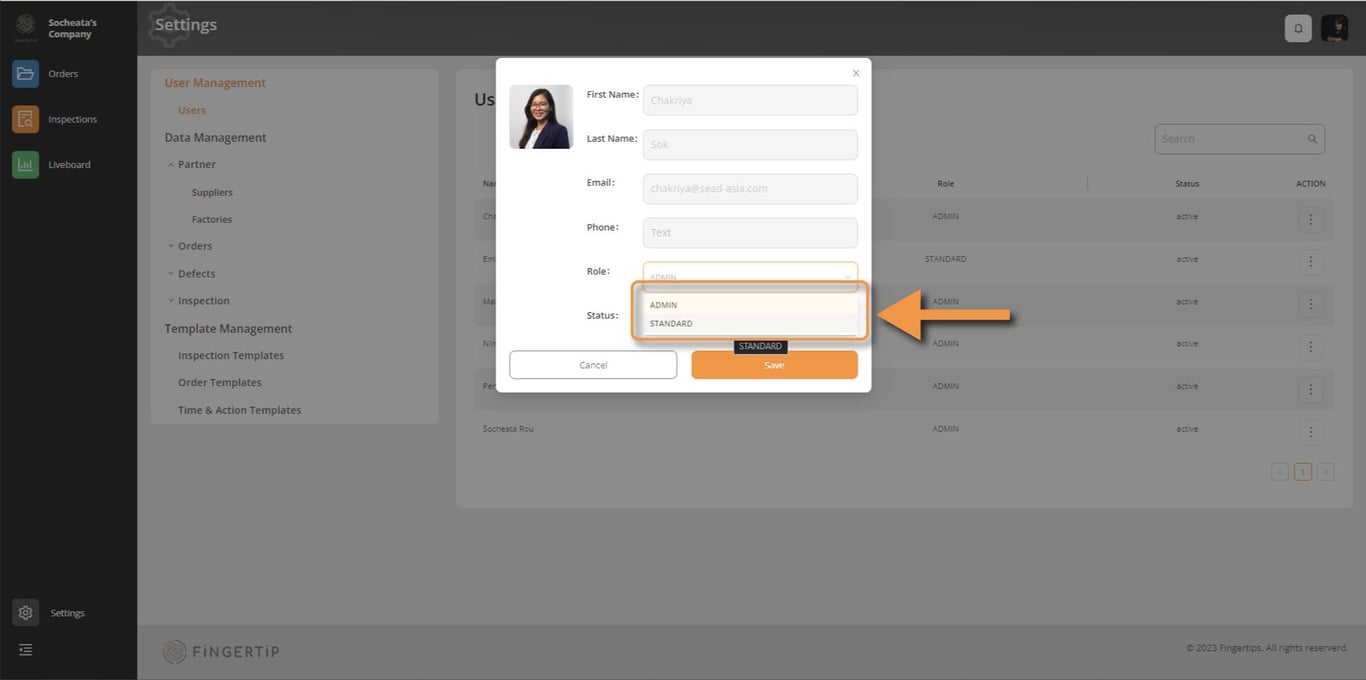
3) Choose the new role, and click save.
 Made with Bullet